
Find objects on the map
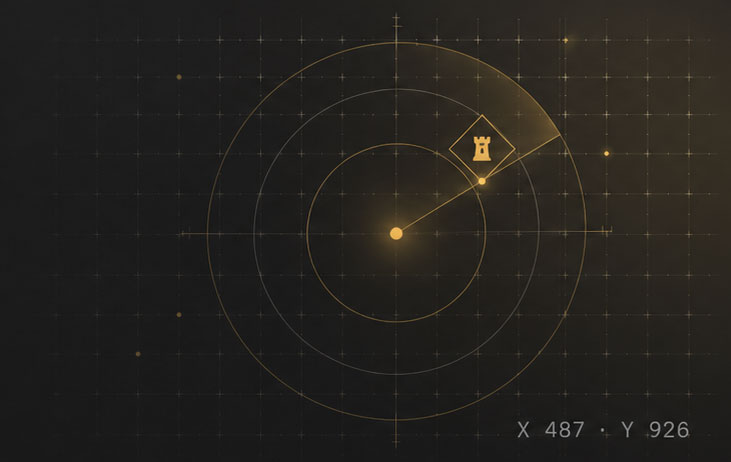
Scan a game server and get a list of objects that match your selected parameters.
Provide: a server, object type, and available filters.
Get: a list of found objects, coordinates, and available game data.
For players ofGame of Thrones: Winter is Coming
Scan a game server and track the shield status of a selected castle. Results are saved in your dashboard, with Telegram available as an optional notification channel.
Choose a task and set its parameters after signing in.
New order
Choose a task and set its parameters
Set the parameters in your dashboard — Gotwic Radar will complete the order and save the result.
Scan a game server and get a list of objects that match your selected parameters.
Provide: a server, object type, and available filters.
Get: a list of found objects, coordinates, and available game data.
Provide the coordinates of a selected castle so the service can check its shield status and save changes.
Provide: a server and castle coordinates.
Get: shield status, check history, and available notifications.
Check completion status, found objects, and watch history in your dashboard.
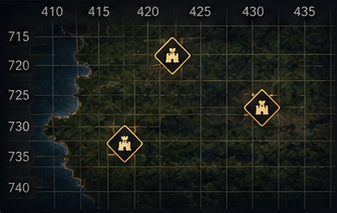
X: 416, Y: 528Level 25X: 421, Y: 535Level 5X: 429, Y: 519Level 4Available data and notifications depend on the selected order type.
Product overview
Choose a focused task, review its parameters and cost, and keep the result in the private dashboard.
Explore the product01 · Map scanner
Separate available and occupied objects. For castles, search for unshielded targets, set a level range, and request data for possible-power filtering.
Map scanner details02 · Shield monitor
Monitor checks and related events for one selected castle. Results and available history stay in your private dashboard.
Four clear steps
Transparent payment model
Top up the internal balance and pay for selected orders. Shield checks are prepaid in packages costing 1 kopek per order; the current package size is shown in the interface. There is no mandatory subscription.
Understand pricingFAQ
Yes. Orders and private results require an account.
No. It is an optional notification channel, and delivery at a specific second is not guaranteed.
No. Order data and coordinates remain in the private dashboard.
Gotwic Radar is an independent service and is not affiliated with the developer or publisher of Game of Thrones: Winter is Coming.
Go to your dashboard, select a task, and set the parameters.
Go to dashboardOrders are created and managed in your dashboard.
 Results
 Object — X: 416, Y: 528